
you must stay away from iOS 8.1.1 as is patches exploits used in Pangu jailbreak for iOS 8.1 – iOS 8.
This release includes bug fixes, increased stability and performance improvements for iPad 2 and iPhone 4s.
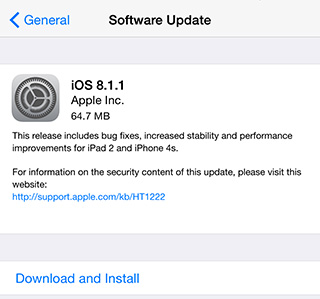
iOS 8.1.1 firmware is available for the following Apple iOS devices:
- iPhone 6 Plus, iPhone 6, iPhone 5s, iPhone 5c, iPhone 5, iPhone 4S
- iPad Air 2, iPad mini 3, iPad 2, iPad 4, iPad 3, iPad Air, iPad mini, iPad mini 2
- iPod touch 5G
If you do not care about jailbreaking your device with Pangu jailbreak, you can install iOS 8.1.1 on your iPhone iPad and iPod Touch via OTA update feature which come built into the iOS. To install iOS 8.1.1 OTA, simply go to: Settings > General > Software Update.
If you want to fresh restore iOS 8.1.1 on your device, follow our detailed guide on how to install iOS using iTunesthrough a USB connection. Please note that this method required full-sized iOS 8.1.1 IPSW file, which can be downloaded from the direct download links below.
Download iOS 8.1.1 IPSW
Here are the direct download links to download iOS 8.1.1 IPSW for iPhone, iPad and iPod Touch.
- iPhone 6
- iPhone 6 Plus
- iPhone 5s CDMA
- iPhone 5s GSM
- iPhone 5c CDMA
- iPhone 5c GSM
- iPhone 5 CDMA
- iPhone 5 GSM
- iPhone 4s
- iPad Air 2 WiFi
- iPad Air 2 Cellular
- iPad Air Cellular
- iPad Air WiFi
- iPad Air CDMA
- iPad 4 CDMA
- iPad 4 GSM
- iPad 4 WiFi
- iPad mini CDMA
- iPad mini GSM
- iPad mini WiFi
- iPad mini 2 Cellular
- iPad mini 2 WiFi
- iPad mini 2 CDMA
- iPad mini 3 China
- iPad mini 3 WiFi
- iPad mini 3 Cellular
- iPad 3 Wi-Fi
- iPad 3 GSM
- iPad 3 CDMA
- iPad 2 Wi-Fi (Rev A)
- iPad 2 Wi-Fi
- iPad 2 GSM
- iPad 2 CDMA
- iPod touch 5G
Any Question? Please Comment!

No comments:
Post a Comment